Retrofit projects are often intended to improve reliability, modernise outdated systems and extend the life of existing infrastructure. But in many cases, automation retrofit mistakes create the opposite result. Systems may appear complete on handover day, only for support tickets.
This is especially common in older buildings where automation systems have evolved over many years without a long-term strategy. A new device may solve one visible issue while introducing hidden compatibility problems.
The challenge with retrofits lies in existing wiring, ageing hardware, undocumented programming, and changing user expectations. For integrators, builders and facility managers, avoiding these issues starts with understanding the most common automation retrofit mistakes before work begins.
Why Retrofit Projects Create More Support Risk Than New Installs
Retrofit environments are far less predictable than new construction projects. In a new build, infrastructure is designed as one coordinated system from the beginning. Cabling paths, power supplies, device compatibility and user access methods are planned together.
Retrofits are different because installers inherit years of previous decisions. Older sites often contain mixed brands, partial upgrades, undocumented changes and temporary fixes. What appears straightforward during the quoting stage can become more complicated once walls are opened or system testing begins.
Legacy wiring is one of the biggest causes of hidden problems. Existing cable runs may have been installed for analogue systems or lower power requirements. Modern IP intercoms, smart access control systems and connected gate automation equipment may place very different demands on those same cables.
User behaviour also creates complications. Residents, tenants or staff often adapt to unreliable systems in unexpected ways. Some may rely on workarounds, bypass faulty equipment or use outdated access methods because “that’s how it’s always worked.” When a retrofit changes these habits without proper planning, confusion and support requests usually follow.
Site constraints add another layer of risk. Limited conduit space, restricted power access, weather exposure and ageing infrastructure can force compromises during installation. Without careful design, those compromises often become future fault points.
This is why automation retrofit mistakes tend to generate far more support tickets than properly planned new installations.
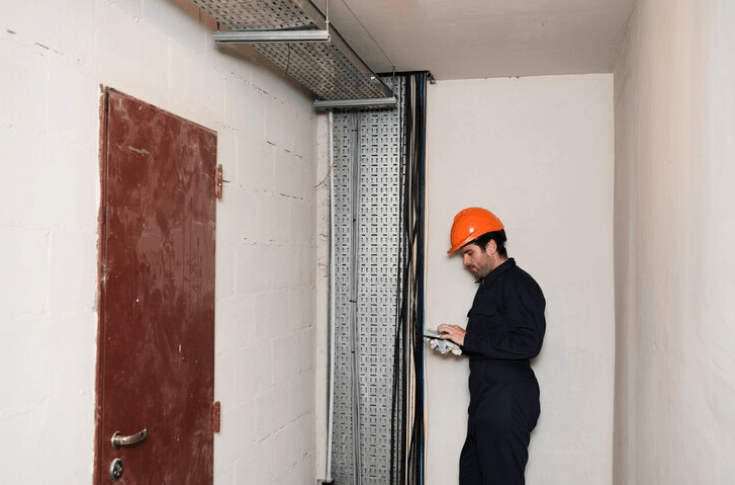
1. Upgrading One Device Without Checking the Whole Workflow
One of the most common automation retrofit mistakes occurs when installers focus on replacing a single faulty device without reviewing the entire user workflow around it.
A site may request a new intercom because residents are complaining about poor audio quality. The intercom is upgraded successfully, but the gate release delay remains too short, mobile app permissions are inconsistent, and the access control relay is still unreliable. Users continue to experience problems even after the original device was replaced.
These intercom upgrade issues usually occur because automation systems rarely operate independently. Gates, intercoms, electric strikes, alarms, credential systems, and remote access platforms all interact. A change in one area can affect timing, power demand, communication reliability or user expectations elsewhere in the system.
For example, replacing an old analogue intercom with a smart IP-based platform may expose weaknesses in the network infrastructure. Delays that previously went unnoticed become more visible when users expect faster mobile response times. Similarly, a faster gate motor may create safety edge timing problems that did not exist before.
Workflow testing is critical during any retrofit. Installers should evaluate:
- How visitors enter the property
- How residents or staff gain access
- What happens during deliveries
- Emergency access procedures
- Power failure scenarios
- Manual override processes
- Mobile and remote access behaviour
When the entire workflow is reviewed together, support issues become far easier to prevent before handover.
2. Reusing Old Cabling Without Testing Capacity and Condition
Existing cabling is often reused during retrofits to reduce labour costs and minimise disruption. While this can be practical in some situations, failing to properly test older cable infrastructure is one of the most expensive automation retrofit mistakes in the long term.
Problems may not appear immediately after installation. In many cases, systems work intermittently before faults slowly increase over time.
Common cabling-related retrofit issues include:
- Voltage drop affecting gate motors or door releases
- Poor data reliability causing intercom dropouts
- Water ingress in outdoor cable runs
- Corrosion inside junction boxes
- Insufficient bandwidth for IP devices
- Damaged insulation from previous building works
- Missing or inconsistent cable labelling
- Unused cables being incorrectly repurposed
- Difficulty tracing faults years later
Older cable runs may also have been installed before modern automation standards existed. A cable that supported an analogue audio intercom perfectly well may struggle with newer PoE or IP communication requirements.
Testing should include both performance and future suitability. Even if an old cable technically functions today, installers should consider whether it can support future upgrades.
Good retrofit planning also includes documenting cable pathways and updating labels. Future technicians should be able to identify circuits quickly without unnecessary fault-finding labour.
According to BICSI International, poor infrastructure documentation and unmanaged legacy cabling remain major contributors to long-term building technology maintenance issues.
Read more: Retrofit Apartment Entry Communication In Older Buildings With Limited Cabling
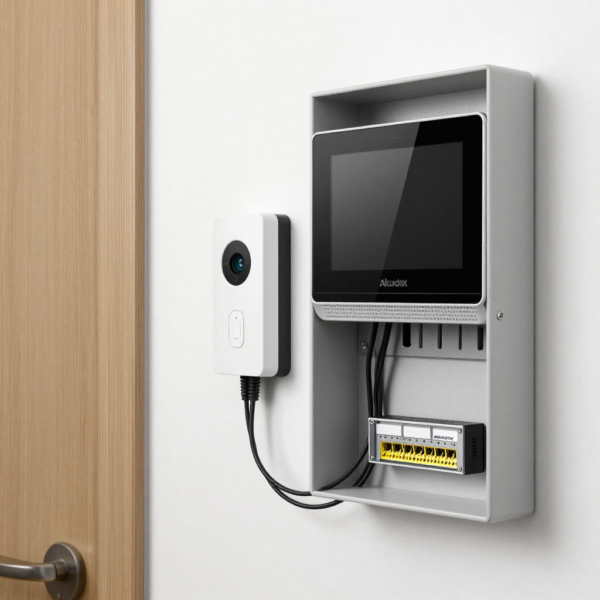
3. Poor Gate Upgrade Planning Around Duty Cycle and Site Use
Gate automation retrofits often focus heavily on motor replacement while overlooking the site’s broader operational demands.
This is where poor gate upgrade planning creates long-term reliability automation retrofit mistakes. A gate motor may technically fit the opening size and weight requirements, yet still fail because the real-world usage conditions were not properly assessed.
Duty cycle is one of the most overlooked factors. Residential gates with occasional daily use have very different requirements from those of apartment complexes, industrial sites, or commercial facilities.
Traffic flow patterns also matter. Peak-hour congestion, delivery schedules and shift changes can place heavy stress on motors, control boards and safety systems. If installers underestimate these demands, recurring faults and overheating issues often follow.
Power supply stability is another common problem area. Older sites may have inconsistent voltage, insufficient surge protection or undersized circuits that affect motor performance over time. Retrofitting a more powerful operator without upgrading the electrical infrastructure can create reliability issues.
Safety systems also need careful review during gate retrofits. Safety edges, photoelectric sensors, and obstacle detection systems should be matched to both the gate speed and the site environment. Outdoor locations exposed to rain, dust, or intense sunlight may require higher-grade protective measures than installers initially expect.
Manual release access is equally important. During power failures or emergencies, users need safe and reliable ways to operate the gate manually. Poorly positioned release mechanisms often create frustration during real-world emergencies.
Read more: Automatic Gate Planning For Multi-Unit Developments And Shared Driveways
4. Leaving Users With Too Many Access Methods
Modern automation systems offer enormous flexibility. Users can access properties through smartphone apps, remotes, PIN codes, indoor monitors, QR credentials, fobs and cloud-based platforms.
But too many access methods can quickly create confusion.
In retrofit environments, this problem usually develops gradually. Older access systems remain active “just in case,” while newer systems are layered on top. Over time, nobody is fully certain which credentials still work, who has administrative control or how permissions are managed.
Support tickets often increase because users forget which method they are supposed to use. Residents may disable mobile notifications, staff may lose track of PIN code changes, and building managers may struggle to manage multiple credential systems.
Administrative complexity becomes an even bigger issue when there is staff turnover or changes in site management. Without clear access policies, permissions can become inconsistent.
Simplification is usually the best long-term strategy. Retrofit projects should aim to reduce unnecessary overlap while maintaining reliable backup access options. Clear user training and consistent credential management help minimise confusion after installation.
Read more: Resident Convenience And Secure Entry: Smart Strategies For Secure Building Access

5. Skipping Documentation, Labels and Handover Notes
Many support problems arise because critical installation information was never properly documented at handover.
A strong retrofit handover process should include:
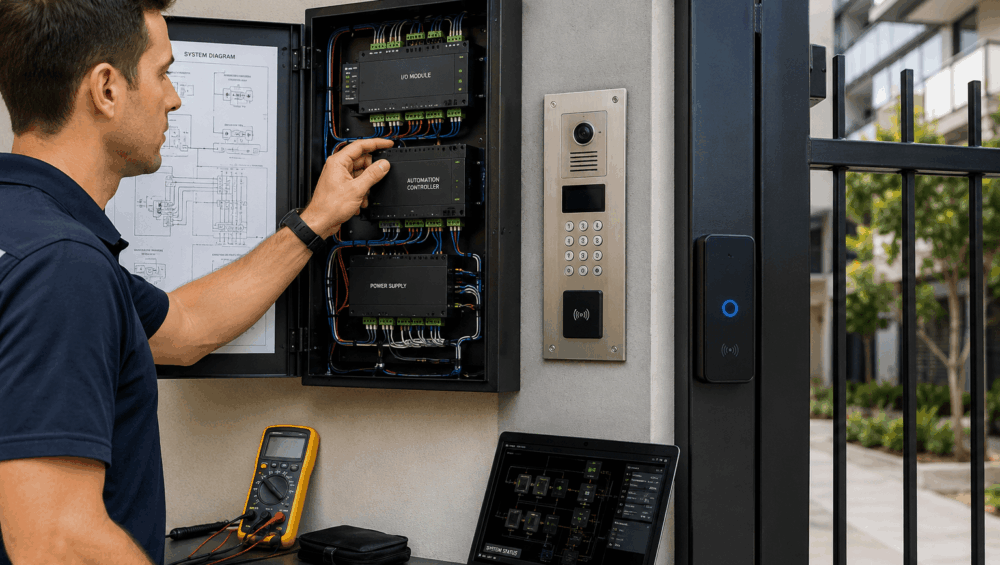
- Updated wiring diagrams
- Device location maps
- IP addresses and network settings
- Relay logic explanations
- Gate safety configurations
- User permission records
- Access credential procedures
- Power isolation details
- Maintenance schedules
- Firmware versions
- Remote access instructions
- Installer contact information
Clear labelling is equally important. Panels, relays, power supplies and cable runs should all be identified consistently. Future technicians should not need to reverse-engineer the system during every service visit.
Handover notes also help protect both installers and site owners. When future faults occur, technicians can identify whether problems relate to the original installation, later modifications or external infrastructure changes.
Good documentation dramatically reduces troubleshooting time and lowers long-term support costs.
6. Choosing Products That Cannot Be Supported Long Term
Among automation retrofit mistakes, short-term product decisions often create long-term service problems.
Some automation products appear attractive initially because of lower pricing or feature lists, but become difficult to support after installation. Spare parts may be unavailable locally, firmware updates may stop, or integration compatibility may become limited over time.
This creates frustration for both installers and end users. A system that cannot be properly maintained often generates repeated support tickets, even when the original installation was completed correctly.
Distributor support is a major consideration during retrofit planning. Reliable suppliers can provide technical assistance, firmware guidance, replacement parts and training when issues arise later. Without that support, troubleshooting becomes significantly more difficult.
Installer familiarity also matters. Highly specialised products may work well initially but become problematic years later if local technicians are unfamiliar with the platform.
Future integration capability should also be considered carefully. Retrofit environments often continue evolving over time. Choosing products with open integration pathways helps avoid unnecessary replacement costs later.
At DHS, we regularly help installers assess product compatibility, support pathways and future upgrade flexibility before projects begin, reducing the risk of avoidable automation retrofit mistakes.

How Integrators Can Reduce Support Tickets Before Handover
Successful retrofit projects are not just about installation quality. They are also about reducing operational confusion and future service demand after handover.
Here are several ways integrators can proactively minimise support tickets:
- Create a full testing matrix: Test every access scenario before handover, including visitor access, remote unlock, emergency release, power failure recovery and credential management.
- Stage commissioning properly: Bring systems online in controlled stages rather than enabling every integration simultaneously. This makes troubleshooting far easier during setup.
- Provide clear user training: Many support calls happen because users simply do not understand the new workflow. Short training sessions can significantly reduce confusion.
- Enable remote diagnostics where possible: Remote monitoring helps technicians identify faults faster without unnecessary site visits.
- Document every system change: Updated diagrams, labels and programming notes save enormous troubleshooting time later.
- Simplify user access methods: Reducing unnecessary overlap between apps, remotes and credentials helps minimise user frustration.
- Review maintenance requirements early: Sites should understand battery replacement schedules, firmware updates and preventative servicing requirements from day one.
- Coordinate with all contractors involved: Electricians, network technicians, gate installers and automation integrators should all work from the same documented plan.
Strong preparation before handover is one of the most effective ways to reduce long-term demand for support.
FAQ about Automation Retrofit Mistakes
What are the most common automation retrofit mistakes?
Common automation retrofit mistakes include reusing damaged cabling, poor integration planning, incomplete workflow testing, unclear documentation, and choosing products without long-term support.
Why do intercom upgrade issues appear after installation?
Many intercom upgrade issues occur because the surrounding infrastructure, network performance, or access workflow was not properly assessed during the retrofit planning stage.
What should be checked before replacing a gate motor?
Installers should assess duty cycle, power supply quality, gate weight, traffic volume, safety devices, access control integration and manual release requirements before replacement.
How can installers reduce support tickets after a retrofit?
Testing all user scenarios, simplifying access methods, documenting configurations and providing user training can significantly reduce post-installation support requests.
Is it better to retrofit in stages or replace everything at once?
This depends on site condition, budget and operational requirements. In many cases, staged retrofits help reduce disruption while allowing infrastructure improvements over time.
In Summary
Retrofits can deliver excellent long-term outcomes when planned properly. But rushed upgrades, undocumented infrastructure and poor system coordination often lead to recurring service calls and frustrated users.
Most automation retrofit mistakes are preventable with better workflow analysis, proper testing, and realistic long-term planning. Successful retrofit projects focus not only on installation day, but on how the system will perform months and years after handover.
Whether you are planning intercom upgrades, access control improvements or gate automation projects, DHS can help you select reliable products, design smarter integrations and reduce long-term support headaches.
Contact DHS today to discuss retrofit-friendly automation solutions backed by local expertise, technical support and trusted integration pathways across Australia and New Zealand.