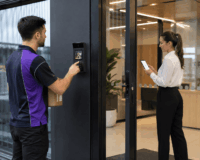

An outdoor intercom plays a major role in daily security and access at many commercial sites, helping to manage entry points. When it stops working properly, the disruption in these areas is significant. Meanwhile, water ingress can begin with small warning signs such as muffled audio or foggy camera lenses. These issues may appear only after heavy rain, then seem to disappear once the weather improves.
That is why it is important to protect outdoor intercom from rain before moisture causes permanent damage. Preventive protection is usually far cheaper than replacing damaged devices.
This guide focuses on practical protection and maintenance for office managers to protect outdoor intercom from rain. Keep reading!
How Rain Gets Into External Office Intercoms
Rainwater can enter through small gaps that are easy to miss during installation. Once moisture enters the intercom housing, it can affect audio, video, buttons, cabling, and connected access control hardware.
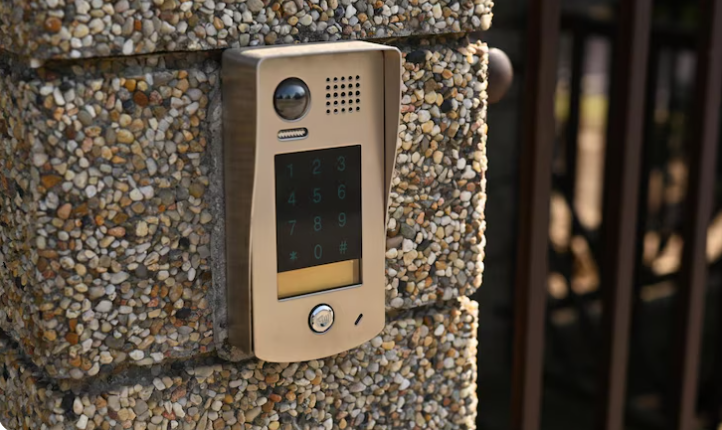
Common water ingress points include sealed faceplates, damaged gaskets, wall penetrations, cable entry holes, screw holes, and the top edges of surface-mounted units. Water can sometimes travel from behind the unit through conduits, cables or mounting gaps.
Wind-driven rain is often more damaging than straight vertical rainfall. A unit may struggle when strong wind pushes water behind the housing or into tiny gaps around the intercom panel. This is especially common on exposed gates, fence posts, driveway entrances, commercial façades and pedestrian access points with no canopy or shelter.
Besides water damage, moisture may reach relays, electric door strikes, gate release wiring, and access control connections. In this sense, water ingress can become a whole-entry-system problem that impacts security, convenience and business operations.
Early Warning Signs of Water Ingress
The problems of water ingress are often intermittent at first, which makes them easy to ignore. An intercom may work normally in dry weather but become unreliable after storms or heavy rain. These changes are early warning signs rather than waiting for a full system failure. Here are some common signs to watch for:
- Fogging behind the camera lens. Fog or condensation inside the camera window may suggest moisture is trapped within the unit or behind the protective cover.
- Crackling, muffled, or distorted audio. Rainwater may be affecting the microphone, speaker, wiring terminals, or internal contacts, especially if the issue appears after wet weather.
- Intermittent call button response. A call button that fails after rain may indicate moisture behind the button or inside the housing.
- Keypad or card reader issues. Moisture can cause unreliable credential reading, false inputs, delayed responses, or keypad buttons.
- Random door or gate release failures. The issue may not always be inside the intercom. Rain can also affect the relay, gate trigger circuit, or access control wiring.
- Visible rust, green corrosion, or staining. Rust marks, green residue on terminals, or staining around the unit usually mean moisture is present.
- Water marks around the wall plate or cable entry. This may suggest the problem is coming from the installation point, rear seal, conduit, or wall penetration rather than the front of the device.
Acting early can help protect outdoor intercom from rain damage before corrosion spreads or the unit fails completely.
Best Practices to Protect Outdoor Intercom from Rain
To reduce the risk of water ingress, it is important to combine good product selection, careful placement, proper installation, and regular maintenance. These best practices can help you protect outdoor intercom from rain without making the entrance harder for participants to use.
Choose a Sheltered Mounting Position Where Possible
The best protection starts before installation: mounting an intercom in a position that is visible and easy to reach, but not directly exposed to constant rainfall. A small awning or covered pedestrian entry can make a big difference. Even moving the unit slightly away from the direction of rain may improve long-term reliability.
If your existing intercom is mounted on a fully exposed post or gate column, a technician may be able to recommend a better location, protective housing, or rain shield to help protect outdoor intercom from rain while keeping the entry point functional.
Use a Weather Hood or Rain Shield
A hood or rain shield can reduce the amount of water that hits the intercoms. This is often a practical upgrade to improve protection without replacing the full system.
The key is to use a cover that suits the intercom model and installation environment. A poorly chosen cover may block the camera view or reduce microphone pickup. Instead, a good rain shield should direct water away from the unit while allowing the intercom to operate normally. It should also look appropriate for the building frontage where presentation matters.
For exposed pedestrian gates or driveway entry points, a weather hood is one of the simplest ways to protect outdoor intercom from rain and reduce direct weather impact.
Seal Cable Entry Points Correctly
Many water problems start behind the intercom, not at the front. Cable entries, conduits, wall penetrations and mounting screws need to be sealed correctly to stop water from tracking into the unit or wall cavity.
Water can sometimes travel along a cable if the entry point is poorly positioned or there is no proper drip loop. It may also enter from above if the conduit directs rainwater towards the back of the device.
It is necessary to ask the installer to check the rear seal, conduit direction, cable penetration points and mounting method. A neat-looking installation is not always weather-protected.
Maintain Drainage and Avoid Water Traps
Outdoor intercoms should not sit where water pools or runs directly down the wall into the housing. Poor drainage around gates, fence posts and entry columns can increase moisture exposure over time.
This is particularly important for commercial sites with landscaped frontages. Sprinklers aimed at the entry wall or blocked drainage around the base of a column can create unnecessary moisture exposure.
Keeping the surrounding area clean, dry and well-drained is a simple but important part of helping protect outdoor intercom from rain.
Avoid DIY Silicone Over-Sealing
It may seem logical to seal every visible gap with silicone, but over-sealing can sometimes make the problem worse. Some intercoms have designed drainage or ventilation points that should not be blocked. If moisture is already inside the housing, sealing it incorrectly may trap water and accelerate corrosion.
DIY silicone can also make future servicing more difficult. If being sealed without understanding the manufacturer’s design, a technician may need extra time to access and repair the unit later.
Choosing the Right Hardware for Exposed Office Entrances
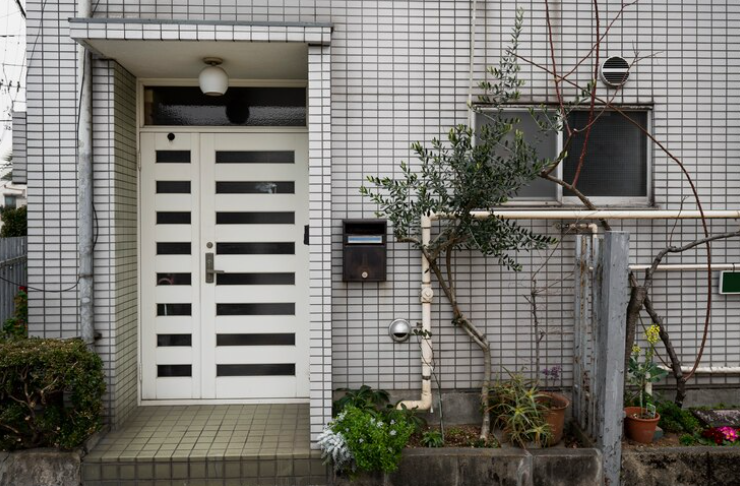
Not every intercom is suitable for fully exposed outdoor use. Before approving a new system or replacement, office managers should ask whether the intercoms are designed for the site conditions.
The right hardware should match the exposure level, security needs and building environment. For example, an intercom on a sheltered office wall may have different requirements from one installed on a front fence post.
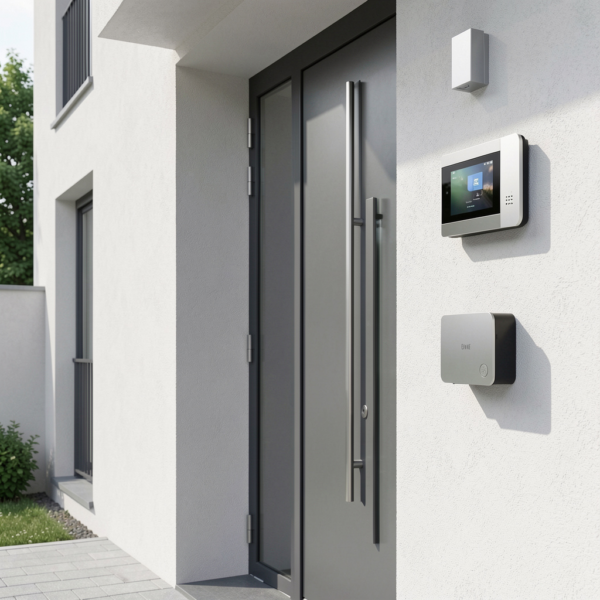
Practical features to consider include vandal-resistant faceplates, sealed buttons, corrosion-resistant materials, compatible rain hoods, suitable back boxes and installer-approved mounting hardware.
The intercom should also remain easy to use. A heavily protected unit is not helpful if people cannot clearly hear audio, see instructions, or access the keypad.
The goal is to protect outdoor intercom from rain while maintaining reliable security and everyday convenience. This is where product selection and installation advice matter.
Digital Home Systems can help office managers, builders and installers select intercom hardware, access control products and smart entry solutions suitable for commercial entry environments across Australia.
Maintenance Habits That Reduce Rain-Related Intercom Failures
Preventative maintenance does not need to be complicated. A quick visual check after wet weather can often detect water ingress before the intercom fails during peak office hours. For busy commercial sites, this can help avoid disruption to visitors, staff and deliveries.
Here are simple maintenance habits office managers and facility teams can use:
- Inspect the intercom after heavy rain or storms. Look for fogging, condensation, water marks, staining, rust, or unusual behaviour.
- Check for loose faceplates or damaged covers. Loose housing can allow water to enter through the sides, top, or rear of the unit.
- Keep the camera lens clean. Dirt, water spots and residue can reduce image quality and make visitor identification harder.
- Clean the microphone opening and speaker grille. Leaves, spider webs, dust and debris can affect audio performance and hold moisture.
- Remove debris around the intercom. Clear leaves, mulch, soil and cobwebs from nearby surfaces, especially around gate posts and entry columns.
- Check nearby sprinklers or irrigation. Sprinklers should not spray directly onto the intercom, keypad, access reader, or door hardware.
- Avoid pressure washing around the unit. High-pressure water can force moisture into openings that normal rainfall may not reach.
- Make sure any rain hood or cover is secure. A loose cover may rattle, shift position, or direct water into the wrong area.
- Ask a technician to inspect seals during scheduled maintenance. Cable entries, conduits, rear seals and wall penetrations should be checked before small issues become major faults.
These simple habits can help protect outdoor intercom from rain and extend the working life of the entry system.

Final Thoughts
When rainwater gets inside an outdoor intercom, the first signs may be small: foggy camera vision, distorted audio, keypad issues, random call failures, or intermittent door release faults. Left unchecked, those small issues can lead to expensive repairs or a full replacement.
The best way to protect outdoor intercom from rain is to plan for weather exposure early. For commercial properties, the intercom is not just a front-door accessory but a part of the wider access control and security system. Protecting it helps keep your office entrance reliable, professional and secure.
Digital Home Systems supplies smart intercom, access control and automation solutions for commercial and residential projects across Australia. If you are upgrading an exposed office entrance or planning a new access control system, DHS can help you choose the right products for long-term performance.
Explore DHS intercom, access control, gate and door solutions and smart entry products today, or speak with our team about suitable solutions for your next commercial project.
FAQs
Can rain damage an outdoor intercom?
Yes. Even outdoor intercoms can suffer problems if they are poorly installed, exposed to wind-driven rain, or affected by damaged seals, blocked drainage, or water entering through cable penetrations.
What is the best way to protect outdoor intercom from rain?
The best approach is a combination of correct product selection, sheltered placement, proper sealing, suitable mounting hardware, drainage planning, and regular maintenance. A rain hood or protective cover may also help for highly exposed entrances.
Should I put silicone around my intercom?
Not always. Improper silicone use can trap moisture or block the intended drainage paths. It is better to have a professional check where water is entering and seal the correct areas.
Why does my intercom only stop working after rain?
This usually points to moisture affecting the device. Intermittent rain-related faults should be inspected before they become permanent failures.
Can a rain cover affect the camera or microphone?
Yes, if it is poorly chosen or installed. A cover should protect the intercom from rain without blocking the camera angle, speaker, microphone, keypad, night vision, or visitor usability.
How often should an outdoor office intercom be checked?
It is recommended to visually check external intercoms after heavy rain and include them in routine security maintenance. Exposed sites may need more frequent inspections.