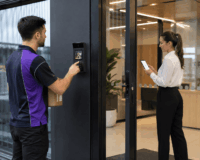
In today’s interconnected world, organizations rely heavily on Access Control Systems to secure buildings, protect sensitive data, and manage user movement efficiently. While small businesses may only need basic access setups, large enterprises, campuses, hospitals, and multi-site organizations face a far more complex challenge—managing user permissions at scale.
As the number of users, locations, and access points increases, so does the risk of mismanagement. Incorrect permissions can lead to security breaches, operational inefficiencies, and compliance issues. That’s why implementing a structured, scalable approach to permission management is essential.
This comprehensive guide explores best practices, strategies, and technologies for managing user permissions in large access control deployments, helping you build a system that is secure, flexible, and future-ready.
Understanding Access Control Systems
Access Control Systems are security solutions designed to regulate who can enter or use specific resources within a facility. These systems replace traditional keys with digital credentials such as:
- RFID cards or key fobs
- PIN codes
- Mobile credentials
- Biometric authentication (fingerprint, facial recognition)
At their core, access control systems rely on permission rules that determine access rights based on identity, time, and location.

The Challenges of Managing Permissions in Large Deployments
Managing user permissions in large-scale environments presents several challenges:
Volume of Users
Organizations may have thousands of employees, contractors, and visitors requiring different access levels.
Multiple Locations
Distributed sites require centralized control while maintaining local flexibility.
Dynamic Roles
Employees frequently change roles, departments, or responsibilities.
Security Risks
Incorrect permissions can lead to unauthorized access.
Compliance Requirements
Industries such as healthcare and finance must meet strict regulatory standards.
These challenges highlight the need for structured and automated permission management.
Role-Based Access Control (RBAC): The Foundation of Scalability
When managing large-scale Access Control Systems, one of the biggest challenges is maintaining consistency while handling thousands of users across multiple locations. This is where Role-Based Access Control (RBAC) becomes essential.
Instead of assigning permissions individually—which quickly becomes unmanageable—RBAC allows administrators to define roles based on job functions or responsibilities. Each role is then linked to a predefined set of permissions.
Why RBAC Works So Well at Scale
In large organizations, employees often share similar responsibilities. For example, all warehouse staff may need access to loading docks, while IT personnel require access to server rooms. By grouping users into roles, you eliminate repetitive manual configurations.
This approach offers several advantages:
- Consistency across the organization: Every user in the same role has identical permissions
- Faster onboarding: New employees can be assigned roles instantly
- Reduced administrative workload: Changes are made at the role level, not per individual
- Improved security: Minimizes the risk of granting incorrect permissions
Real-World Example
Imagine a hospital using Access Control Systems across multiple departments. Instead of assigning access individually to each doctor, nurse, or technician, roles such as “Emergency Staff” or “Surgical Team” can be created. Each role automatically grants access to relevant areas like operating rooms or restricted zones.
This structured approach ensures both efficiency and compliance with strict healthcare regulations.

Attribute-Based Access Control (ABAC): Advanced Flexibility
While RBAC is highly effective, some environments require more dynamic and context-aware control. This is where Attribute-Based Access Control (ABAC) comes into play.
Unlike RBAC, which assigns permissions based on predefined roles, ABAC evaluates multiple attributes in real time before granting access.
Key Attributes Used in ABAC
- User attributes (role, department, clearance level)
- Environmental attributes (time of day, location)
- Resource attributes (type of room or system)
- Device attributes (authorized device or network)
How ABAC Enhances Access Control Systems
ABAC allows organizations to create granular and adaptive policies. For example:
- A contractor may access a building only during working hours
- A manager may access sensitive areas only when on-site
- Access may be denied if the request comes from an unknown device
This level of control is particularly useful in industries like finance, healthcare, and government, where security requirements are complex.
Combining RBAC and ABAC
In many large deployments, RBAC and ABAC are used together. RBAC provides a stable foundation, while ABAC adds flexibility for special conditions. This hybrid approach ensures both scalability and precision.
Centralized vs Distributed Access Control Management
Centralized Management
All permissions are managed from a single platform.
Advantages:
- Consistent policies
- Easier monitoring
- Simplified updates
Distributed Management
Local systems manage permissions independently.
Advantages:
- Faster local response
- Reduced dependency on central systems
Most large Access Control Systems use a hybrid approach, combining both models.
Best Practices for Managing User Permissions
Standardize Roles and Permissions
Define clear roles and avoid unnecessary complexity.
Implement Least Privilege Principle
Users should only have access to what they need.
Automate Permission Assignment
Use software to assign permissions based on roles.
Regularly Review Access Rights
Conduct audits to identify outdated permissions.
Automation in Access Control Systems
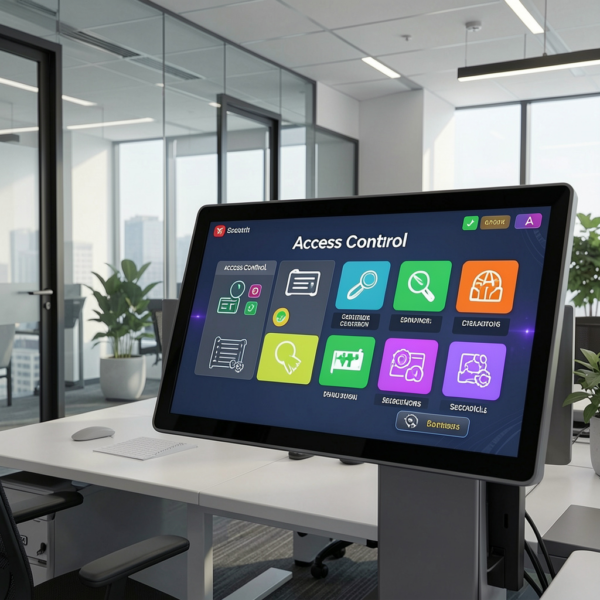
Automation is one of the most powerful tools for managing permissions in large Access Control Systems. Without automation, administrators would need to manually update permissions for every user—an impossible task at scale.
Key Areas Where Automation Adds Value
1. User Onboarding
When a new employee joins the organization, automation can instantly assign the correct access permissions based on their role, department, and location.
2. Role Changes
If an employee is promoted or transferred, the system can automatically update their permissions to reflect their new responsibilities.
3. Offboarding
When an employee leaves the organization, automation ensures that all access rights are revoked immediately, reducing security risks.
4. Scheduled Access Control
Permissions can be set to activate or expire automatically at specific times, which is especially useful for contractors or temporary staff.
Benefits of Automation
- Eliminates human error
- Saves time and administrative effort
- Ensures consistency across the system
- Improves security by reducing delays
Automation transforms Access Control Systems from reactive tools into proactive security solutions.

Integration with Identity Management Systems
Modern Access Control Systems do not operate in isolation. They are often integrated with identity management platforms to create a unified security ecosystem.
Why Integration Matters
In large organizations, user data is typically managed across multiple systems—HR software, IT directories, and cloud platforms. Without integration, inconsistencies can arise, leading to outdated or incorrect permissions.
Common Integration Points
- HR Systems: Automatically update access when employees join, move, or leave
- Active Directory / LDAP: Synchronize user credentials and roles
- Cloud Identity Platforms: Enable remote access and centralized control
Real-World Scenario
When an employee is promoted in the HR system, the change is automatically reflected in the Access Control System, updating their permissions without manual intervention. This ensures accuracy and reduces administrative workload.
Benefits of Integration
- Real-time synchronization
- Improved data accuracy
- Reduced duplication of effort
- Enhanced security and compliance
Managing Temporary and Visitor Access
Large organizations frequently deal with temporary users, including contractors, vendors, and visitors. Managing their access effectively is critical to maintaining security.
Challenges
- Temporary users often require limited access
- Access must be time-bound
- Monitoring is essential
Best Practices
Time-Based Access
Assign permissions that automatically expire after a specific period.
Digital Credentials
Use mobile passes or temporary keycards that can be easily activated and deactivated.
Visitor Management Systems
Integrate visitor registration with Access Control Systems to track entry and exit.
Real-Time Monitoring
Track visitor activity to ensure compliance with security policies.
Example
A contractor working on-site for one week can be granted access only during working hours, and their credentials will automatically expire at the end of the project.
This approach minimizes risk while maintaining operational efficiency.
Multi-Site Access Control Strategies
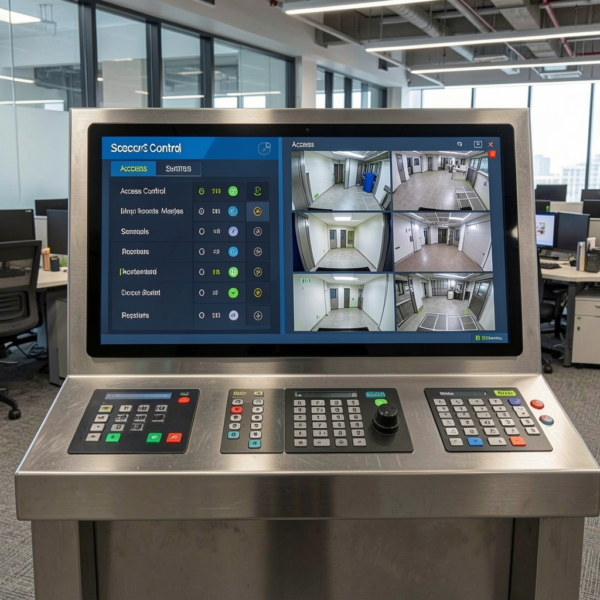
Managing permissions across multiple locations adds another layer of complexity to Access Control Systems.
Centralized Control with Local Flexibility
A centralized system allows administrators to manage all locations from a single platform, ensuring consistent policies. At the same time, local managers may need the ability to make adjustments based on site-specific requirements.
Standardization Across Locations
- Use consistent role definitions
- Apply uniform security policies
- Ensure all sites follow the same protocols
Scalability Considerations
As organizations expand, the system must be able to handle additional users and locations without compromising performance.
Real-World Example
A global company with offices in multiple countries can manage all access permissions centrally while allowing regional administrators to handle local adjustments.
Security Considerations in Permission Management
Security is the primary goal of any Access Control System, and effective permission management plays a critical role in achieving it.
Avoid Over-Permissioning
Granting users more access than necessary increases the risk of unauthorized activity. The principle of least privilege should always be applied.
Continuous Monitoring
Access logs should be monitored regularly to detect unusual behavior, such as unauthorized access attempts or abnormal usage patterns.
Multi-Factor Authentication (MFA)
Adding an extra layer of authentication enhances security, especially for sensitive areas.
Regular Audits
Periodic reviews ensure that permissions remain accurate and aligned with organizational needs.

Compliance and Regulatory Requirements
Industries must comply with regulations such as:
- GDPR
- HIPAA
- ISO standards
Proper permission management ensures compliance and avoids penalties.
User Lifecycle Management
Onboarding
Assign roles and permissions automatically.
Role Changes
Update access rights when responsibilities change.
Offboarding
Immediately revoke access upon exit.
Lifecycle management is essential for maintaining security.

Common Mistakes to Avoid
- Assigning permissions manually at scale
- Failing to update access rights
- Ignoring audits
- Overcomplicating role structures
Avoiding these mistakes improves system efficiency.
Future Trends in Access Control Systems
The future of Access Control Systems includes:
- AI-driven access decisions
- Cloud-based platforms
- Mobile-first credentials
- Biometric advancements
These innovations will further enhance scalability and security.
Best Practices Checklist
- Use RBAC or ABAC models
- Automate processes
- Integrate with identity systems
- Conduct regular audits
- Monitor activity
Conclusion: Building a Scalable and Secure Permission System
Managing user permissions in large deployments is a complex but critical task. With the right strategies—such as role-based control, automation, and integration—organizations can build Access Control Systems that are both secure and scalable.
By implementing best practices and staying ahead of technological trends, you can ensure your system remains efficient, compliant, and ready for future growth.
Looking for a complete solution?👉 Discover modern access control systems here