Outdoor sirens are a critical component of any modern security system. They act as both a deterrent and an alert mechanism, notifying occupants and neighbors of potential threats. However, simply installing a siren is not enough. Without proper testing and commissioning, even the most advanced device may fail when it matters most.
The Vision Z-Wave Outdoor Siren is designed to deliver reliable, high-decibel alerts, seamless integration with smart home systems, and robust outdoor performance. To fully leverage its capabilities, thorough testing and commissioning are essential.
This guide explores everything you need to know about setting up, testing, and optimizing your Z-Wave outdoor siren for maximum performance and security.
Understanding the Vision Z-Wave Outdoor Siren
The Vision Z-Wave Outdoor Siren is a wireless security device that integrates with Z-Wave smart home ecosystems. It is designed for outdoor use, offering weather resistance, loud alarm output, and visual alerts such as flashing LED lights.
Key features typically include:
- High-decibel siren output for strong deterrence
- Z-Wave connectivity for integration with smart hubs
- Battery backup for continuous operation
- Tamper detection for enhanced security
- Weatherproof housing for outdoor environments
Understanding these features is important before beginning the commissioning process.

What Is Z-Wave and Why It Matters
Z-Wave is a wireless communication protocol specifically designed for smart home devices. It enables secure, low-power communication between devices such as sensors, locks, and sirens.
The Vision Z-Wave Outdoor Siren relies on Z-Wave to receive commands and trigger alarms. One of the key advantages of Z-Wave is its mesh network capability, where devices relay signals to each other to extend range and improve reliability.
This means proper placement and network setup are crucial for optimal performance.
Pre-Installation Checklist
Before installing the Vision Z-Wave Outdoor Siren, it is important to prepare the environment and ensure all components are ready.
Key steps include:
- Verify compatibility with your Z-Wave hub
- Check firmware versions of your hub and devices
- Inspect the installation area for signal strength
- Ensure power sources (battery or wired) are available
- Review manufacturer guidelines and safety instructions
Proper preparation reduces the risk of issues during testing and commissioning.
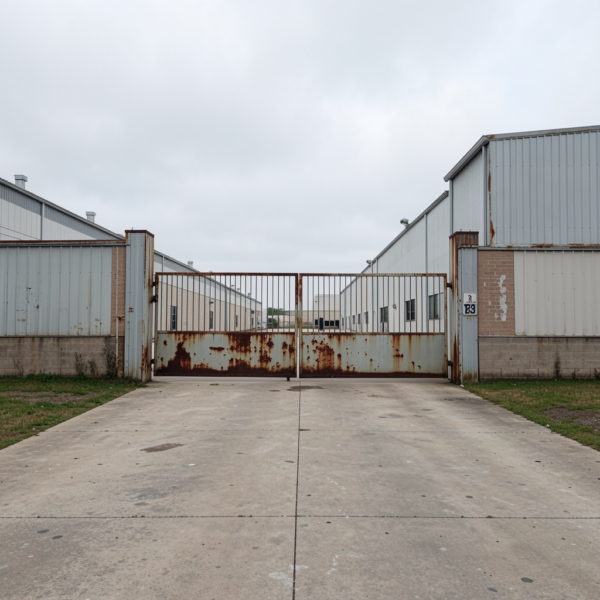
Optimal Placement for Outdoor Sirens
Placement plays a critical role in the effectiveness of the Vision Z-Wave Outdoor Siren.
The siren should be installed in a visible and elevated location to maximize both sound projection and visual deterrence. Avoid placing it in areas where obstacles may block sound or signal transmission.
Consider the following:
- Mount at a height to prevent tampering
- Ensure clear line of sight for LED visibility
- Avoid direct exposure to extreme weather if possible
- Position within range of the Z-Wave network
Strategic placement ensures both performance and durability.
Pairing the Siren with a Z-Wave Network
Pairing, also known as inclusion, is one of the most critical steps when setting up the Vision Z-Wave Outdoor Siren. A stable and properly configured connection ensures reliable communication between the siren and the rest of your smart security system.
Before initiating pairing, ensure your Z-Wave hub is updated to the latest firmware version. This helps avoid compatibility issues and improves device recognition. It is also recommended to reset the siren to factory settings if it has been previously used or paired with another network.
During inclusion:
- Place the siren within close proximity (1–2 meters) of the hub
- Activate inclusion mode on the hub
- Trigger the pairing button or sequence on the siren
- Wait for confirmation from the hub interface
Once successfully paired, the siren will be assigned a node ID within the Z-Wave network. This allows it to communicate with other devices such as motion sensors, door contacts, and control panels.
For advanced setups, consider using secure inclusion (S2 security) if supported. This enhances encryption and protects communication between devices from interception or spoofing.
After pairing, always rename and categorize the device properly in your system (e.g., “Outdoor Siren – Front Gate”) to simplify future management and automation.
Initial Configuration and Setup
After successful pairing, configuring the Vision Z-Wave Outdoor Siren correctly is essential for ensuring it behaves as expected in real-world scenarios.
Modern Z-Wave sirens offer multiple configurable parameters that can be adjusted through the hub interface. These include:
- Alarm duration: Define how long the siren sounds after being triggered (e.g., 30 seconds, 1 minute, 5 minutes)
- Sound patterns: Choose between continuous or pulsed alarm tones
- Volume levels: Adjust decibel output based on environment (residential vs commercial)
- LED behavior: Configure flashing patterns for visual alerts
- Delay settings: Add entry/exit delays to avoid false alarms
Additionally, you can assign the siren to specific security modes, such as:
- Away mode (full alarm activation)
- Home mode (partial activation)
- Night mode (perimeter-only alerts)
A well-configured siren ensures that alerts are not only loud but also context-aware, reducing nuisance alarms while maintaining strong protection.
Functional Testing: Verifying Core Operations
Functional testing is where you validate that the Vision Z-Wave Outdoor Siren performs correctly under different scenarios. This step should be thorough and repeatable.
Start with manual trigger testing:
- Activate the siren directly from the hub interface
- Confirm immediate response
- Measure delay between command and activation
Next, perform sensor-triggered tests:
- Open a door sensor
- Trigger a motion detector
- Simulate an intrusion scenario
Observe whether the siren activates according to your configured rules. Pay attention to:
- Sound intensity and clarity
- LED visibility during daytime and nighttime
- Consistency across multiple test runs
It is also important to test alarm reset behavior—ensure the siren stops correctly when the system is disarmed.
For professional installations, consider documenting test results, including response time and signal reliability, for future reference.
Testing Z-Wave Signal Strength and Range
Signal strength is one of the most overlooked factors in Z-Wave installations, yet it directly impacts the reliability of the Vision Z-Wave Outdoor Siren.
Unlike Wi-Fi, Z-Wave operates as a mesh network, meaning devices can relay signals to extend coverage. However, outdoor sirens are often placed at the edge of the network, making signal testing essential.
Steps for effective testing:
- Install the siren in its final outdoor location
- Trigger commands from the hub multiple times
- Observe response consistency
If you notice delays or missed triggers, evaluate the network:
- Check for physical obstacles (walls, metal structures)
- Identify gaps in the mesh network
- Add Z-Wave repeaters or powered devices nearby
A strong mesh network ensures that the siren receives commands instantly, even in large properties.
Battery and Power Testing
Power reliability is critical for any outdoor security device. The Vision Z-Wave Outdoor Siren typically operates on battery power with optional external power support.
Start by verifying battery health:
- Check voltage levels via the hub interface
- Confirm battery status indicators on the device
Next, simulate a power failure scenario:
- Disconnect primary power (if applicable)
- Ensure the siren continues to operate on backup battery
Also test battery drain behavior:
- Trigger multiple alarms
- Monitor how quickly battery levels decrease
This helps estimate maintenance intervals and ensures the device remains operational during emergencies.
For high-security installations, consider scheduling battery replacement cycles every 6–12 months, even if the battery is not fully depleted.

Tamper and Security Testing
The Vision Z-Wave Outdoor Siren often includes tamper detection features.
Test these by:
- Opening the device housing
- Attempting to remove it from its mount
- Verifying that tamper alerts are triggered
This ensures that the siren can detect and respond to unauthorized interference.
Integration Testing with Smart Home Systems
To maximize functionality, the siren should be tested within the broader smart home ecosystem.
This includes:
- Linking with motion sensors, door sensors, and cameras
- Creating automation rules (e.g., trigger siren when intrusion detected)
- Testing scenarios such as alarm activation and deactivation
Integration testing ensures seamless operation across all devices.
Commissioning Checklist for Final Deployment
Before completing installation, run a final commissioning checklist:
- Confirm stable Z-Wave connection
- Verify all configurations and settings
- Test all triggers and scenarios
- Ensure secure mounting and weather protection
- Document setup for future reference
A thorough checklist ensures readiness for real-world use.
Troubleshooting Common Issues
During testing, you may encounter issues such as:
- Weak signal or delayed response
- Siren not triggering
- Battery drain problems
Solutions include:
- Repositioning devices
- Adding repeaters
- Updating firmware
- Checking configuration settings
Proactive troubleshooting ensures long-term reliability.

Maintenance and Periodic Testing
Regular maintenance is essential for sustained performance.
Recommended practices:
- Test the siren monthly
- Check battery levels regularly
- Inspect for physical damage
- Update firmware when available
Ongoing maintenance ensures that the Vision Z-Wave Outdoor Siren remains reliable over time.
Future Trends in Smart Security Sirens
Smart security technology continues to evolve.
Future developments may include:
- AI-driven threat detection
- Enhanced integration with smart ecosystems
- Improved energy efficiency
- Advanced remote monitoring capabilities
The Vision Z-Wave Outdoor Siren represents a step toward more intelligent and connected security systems.
Conclusion: Ensuring Reliable Security Through Proper Commissioning
Testing and commissioning are critical steps in deploying any security device. The Vision Z-Wave Outdoor Siren offers powerful features, but its effectiveness depends on proper setup and validation.
By following best practices—from installation and pairing to testing and maintenance—you can ensure that your siren performs reliably when it matters most.
A well-commissioned system not only enhances security but also provides peace of mind, knowing that your property is protected at all times.