Voice control has become a standard expectation in modern smart homes. Homeowners want to turn lights on and off, adjust scenes, or control automation using simple voice commands through Google Assistant or Amazon Alexa. For KNX-based homes, achieving reliable voice control requires a stable bridge between the KNX system and cloud-based voice assistants. This is where the Jigsaw Gateway plays a critical role.
The Jigsaw KNX Gateway (2 Users) is designed to connect professional KNX installations with popular voice platforms, allowing controlled, secure, and user-friendly voice interaction. This buyer’s guide explains what the Jigsaw Gateway is, how it works with Google Assistant and Alexa, how to set it up correctly, and how to decide if it is the right choice for your smart home or project.
Understanding the Jigsaw Gateway and its role in a KNX smart home
A KNX system is known for reliability, scalability, and long-term stability. However, KNX operates locally and does not natively communicate with cloud-based voice assistants. The Jigsaw Gateway acts as a translator between these two worlds.
The Jigsaw Gateway connects to the KNX bus on one side and to the internet on the other. It maps KNX group addresses to virtual devices that voice assistants can understand. Once configured, commands such as turning on lights, activating scenes, or controlling selected functions can be issued through Google Assistant or Alexa.
The Jigsaw KNX Gateway (2 Users) version is designed for residential environments where access needs to be limited and controlled, making it suitable for family homes, apartments, and small smart home projects.
Why use a Jigsaw Gateway instead of other KNX voice solutions
There are several ways to add voice control to a KNX installation, including third-party servers and automation platforms. The Jigsaw Gateway stands out for buyers who want simplicity, stability, and minimal maintenance.
The gateway is purpose-built for KNX and voice assistants, which reduces complexity during setup. It does not require running a full automation server or maintaining custom scripts. Configuration is done through a guided interface, making it accessible for integrators and informed homeowners.
Another advantage of the Jigsaw Gateway is its controlled user model. With the Jigsaw KNX Gateway (2 Users), voice access can be limited to specific accounts, reducing the risk of unauthorized control while keeping the system easy to manage.

Voice assistants supported by the Jigsaw Gateway
The Jigsaw Gateway is designed to work with the two most widely used voice assistants in residential smart homes: Google Assistant and Amazon Alexa.
Google Assistant integration allows voice control through Google Nest speakers, Android phones, and Google Home apps. Alexa integration works with Echo devices and the Alexa mobile app.
Both platforms provide natural language interaction, but their setup processes and user experiences differ slightly. The Jigsaw Gateway abstracts most of this complexity, offering a consistent KNX-focused configuration regardless of which voice assistant is used.
What you can control with the Jigsaw Gateway using voice
Not every KNX function is suitable for voice control. The Jigsaw Gateway allows users and integrators to choose which functions are exposed to voice assistants.
Common use cases include lighting control, switching circuits, activating scenes, and controlling selected automation states. For example, users can say commands to turn on living room lights, activate a “good night” scene, or switch outdoor lighting.
For safety and privacy reasons, sensitive functions such as security systems or door locks are typically restricted or require additional confirmation. The Jigsaw Gateway allows selective exposure, ensuring voice control remains convenient without compromising security.
Buyer considerations before choosing the Jigsaw KNX Gateway (2 Users)
Before purchasing the Jigsaw Gateway, it is important to evaluate whether it fits your KNX project and household needs.
The Jigsaw KNX Gateway (2 Users) is ideal for homes with a limited number of primary users. It is not designed for large multi-tenant buildings or commercial installations with many independent users.
An existing KNX installation is required, including a KNX IP interface or router. Stable internet connectivity is also essential, as voice assistants rely on cloud services to process commands.
Buyers should also consider future expansion. While the gateway supports a wide range of KNX functions, planning which devices and scenes will be voice-controlled from the start leads to a cleaner and more intuitive experience.
Preparing your KNX system for voice assistant integration
Before setting up the Jigsaw Gateway, the KNX system should be properly structured. Group addresses should be clearly named and logically organized. This helps during mapping and ensures voice commands sound natural.
Scenes should be well-defined and tested locally before being exposed to voice assistants. Voice control should enhance existing automation, not compensate for incomplete KNX programming.
Ensuring that the KNX IP connection is stable and correctly configured is critical. Network issues can cause delays or failed commands, which negatively affect the voice control experience.
Setting up the Jigsaw Gateway for the first time
Initial setup of the Jigsaw Gateway involves connecting it to the KNX network and the local IP network. Once powered and connected, the gateway is accessed through its configuration interface.
The configuration process includes logging into the Jigsaw platform, registering the gateway, and selecting the KNX project. The Jigsaw KNX Gateway (2 Users) allows assigning access rights to two main user accounts.
At this stage, the gateway discovers available KNX group addresses and prepares them for mapping to voice commands.
Mapping KNX functions to voice commands
Mapping is the most important step in using the Jigsaw Gateway effectively. Each KNX group address that will be controlled by voice must be assigned a name and function type.
Names should be simple, descriptive, and natural to say. For example, “living room lights” works better than technical labels. The Jigsaw Gateway uses these names when communicating with Google Assistant or Alexa.
Function types define how the voice assistant interprets commands. Lighting, switching, and scenes each behave differently, so selecting the correct type ensures accurate responses.
Connecting the Jigsaw Gateway to Google Assistant
To use Google Assistant, the Jigsaw Gateway must be linked through the Google Home app. This involves signing in with the Jigsaw account and granting permission for Google to access the mapped devices.
Once linked, the devices appear in the Google Home interface. They can be assigned to rooms and tested using voice commands.
Google Assistant is particularly strong in natural language recognition, allowing flexible phrasing. However, consistent naming still improves reliability and reduces misunderstandings.
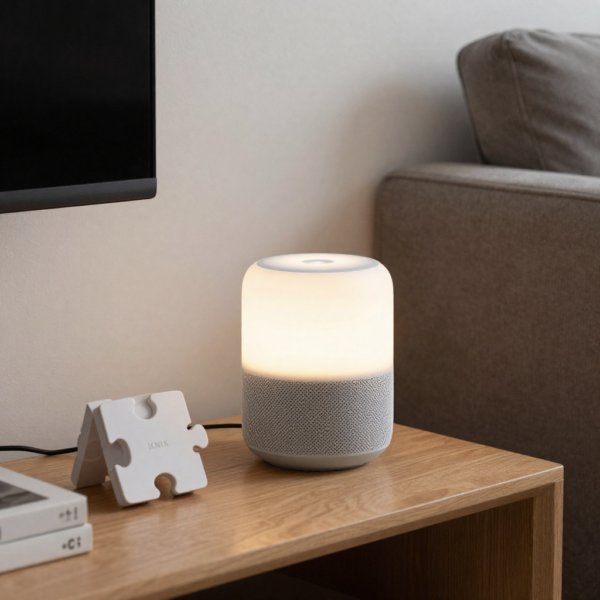
Connecting the Jigsaw Gateway to Amazon Alexa
Alexa integration follows a similar process through the Alexa app. The Jigsaw skill is enabled, and the account is linked to the Jigsaw Gateway.
After device discovery, mapped KNX functions appear as smart devices within Alexa. They can be grouped, renamed if needed, and controlled via Echo devices.
Alexa tends to be more structured in command phrasing, so clear and concise device names are especially important.
Optimizing voice control performance
Voice control performance depends on several factors beyond the gateway itself. Network stability, response times from cloud services, and clarity of voice commands all play a role.
Using consistent naming across rooms and functions reduces confusion. Avoid using similar names for different devices. The Jigsaw Gateway allows refinement of mappings to optimize recognition.
Limiting the number of voice-controlled devices to those that truly benefit from voice interaction improves overall reliability and user satisfaction.
Privacy and security considerations
Voice assistants are cloud-based services, which raises privacy considerations. The Jigsaw Gateway does not process voice data itself but passes commands securely between the voice assistant and the KNX system.
Users should configure voice assistants according to their household preferences, including voice recognition and account restrictions. The Jigsaw KNX Gateway (2 Users) helps by limiting system access to authorized accounts.
Sensitive KNX functions should be carefully evaluated before enabling voice control. In many cases, voice commands are best suited for comfort and convenience rather than critical security operations.
Common mistakes to avoid when using a Jigsaw Gateway
One common mistake is exposing too many devices to voice control. This can overwhelm users and increase the chance of incorrect commands.
Another issue is poor naming conventions. Technical or ambiguous names reduce recognition accuracy and frustrate users.
Skipping testing is also problematic. Each mapped function should be tested thoroughly with both Google Assistant and Alexa to ensure consistent behavior.
Comparing the Jigsaw Gateway to alternative solutions
Compared to full automation servers, the Jigsaw Gateway offers a lighter, more focused approach. It is easier to set up and maintain, making it attractive for residential buyers.
Unlike DIY bridges, the Jigsaw Gateway is designed specifically for KNX, which improves reliability and long-term support.
For buyers who want voice control without managing complex automation logic, the Jigsaw Gateway strikes a strong balance between functionality and simplicity.
Who should buy the Jigsaw KNX Gateway (2 Users)
The Jigsaw KNX Gateway (2 Users) is best suited for homeowners with a KNX system who want reliable voice control without adding unnecessary complexity.
It is also a good choice for integrators delivering residential projects where ease of use and minimal ongoing support are priorities.
Homes with clear voice control use cases, such as lighting and scenes, benefit most from this gateway.
Long-term maintenance and updates
Maintaining the Jigsaw Gateway is straightforward. Firmware updates and platform improvements are typically managed through the Jigsaw ecosystem.
Regularly reviewing mapped devices and removing unused functions keeps the system clean and responsive.
As voice assistants evolve, the Jigsaw Gateway benefits from ongoing compatibility updates, helping protect the investment over time.
Final thoughts on using the Jigsaw Gateway with Google and Alexa
Voice control adds a new layer of convenience to KNX smart homes, but only when implemented correctly. The Jigsaw Gateway provides a dedicated, user-friendly bridge between KNX and popular voice assistants.
The Jigsaw KNX Gateway (2 Users) is particularly well-suited to residential environments where controlled access, simplicity, and reliability matter most.
By planning carefully, using clear naming, and exposing only meaningful functions, homeowners and integrators can achieve a smooth and intuitive voice-controlled KNX experience.
For buyers looking to enhance their KNX system with Google Assistant and Alexa support without overcomplicating their setup, the Jigsaw Gateway remains a practical and future-ready choice.
Choose the Jigsaw KNX Gateway (2 Users) for simple KNX voice integration